2019年12月25日星期三

Types of Child Care Registration Forms


Why use online childcare registration forms?

Online registration forms have become a very important tool in the e-world today. They make it very much easier to plan your next event such as classes, conferences, workshops. Online registration forms also let your clients/targeted audience to fill out the required information from any smartphone or computer. It should be of note that online registration forms can also be integrated with payment processors to collect certain fees as well. If you use CloudBB or other cloud-based childcare registration software, it is possible to format and customize templates of the registration form to fit your needs.

Elements of Child Care Online Registration Forms

The childcare registration form template allows owners of childcare centers to capture all the crucial application information for every single child under their care. They can also be used to register new students for a preschool, music school, college, university, or any other educational institution. This information could include details such as name, address, sex, parents' information, emergency contact information, hours of childcare required, and even medical information. The importance of all of this information cannot be overemphasized.
Online Registration

Types of Child Care Online Registration Forms

Only when you can ultimately utilize each type of child care registration form , can you reap no little benefit in it to boost your childcare management business. But how can we get to know the types? Below are some popular and useful types of Child Care Online Registration Forms.


Course Registration Form

This child care registration form template can be used by any school (even preschools) to accept enrolment for various educational programs that the school has to offer. This form only collects the primary information of the enrollment, which includes their name, address, birth date, and other contact information. This registration form template comes with a text area where students or whoever is filling the form can input their comments or ask questions regarding the registration.


Class Registration

This registration form template is used to obtain class registrations from students with their names, gender, ID, list of classes, and e-mail. With this registration form, you can consequently arrange classes for them.


Preschool Package Registration Form

This preschool registration form template, you can register new students. This registration form for the preschool template allows users to also gather the parent's name, email, student's name, address, gender, contact number, birthday, and others. Parents can also indicate how they find your school by using this preschool enrollment form template.


Before and Afterschool Care Registration

This form template is used by daycare service centers, schools, and other educational facilities that provide after-school assistance. This after-school program registration form contains student information such as name, address, phone, parents information such as names, phones, work phones, emails, addresses, student's doctor's name and phone, and other information such as if the student has any allergies, has other siblings, and also their emergency contact information.


Summer School Registration

If you’re organizing a summer school for your students, this summer school registration form template would provide a much easier way to register new intakes that will be interested in attending this summer school. With this summer school application form, your students can see the total applicable cost and you also get to specify how many people will attend.


Simple Registration Form

This form usually comes in handy whenever the next school year is about to start and a simple registration process is needed. This simple registration form is used to collect data from students for the new school year, and these would include their details, class number, admission details, and previous semester marks.


Pre-Kindergarten Registration Program

The kindergarten program is usually a necessity for working parents who have children that they cannot take to work. For this reason, they search for the best kindergarten for their child. If you run a kindergarten and also accept online enrolments, this kindergarten registration form template might just be the right choice for you. It is designed with elaborative questions, which can easily be collected both online.


Vacation Bible School Registration (VBS)

If your church is planning a vacation bible school, this VBS registration form template is also among the child registration form options in the gathering of all the essential information needed from the students. Students can choose which courses they would like to participate in while their parents can enter the contact information and the additional information about the students.


Useful Tips!

While this list might seem like a lot to handle, why not make the registration and enrollment process a breeze. Integrate your website and registrations forms with CloudBB to minimize enrollment data entry.
CloudBB child care management software was developed with a lot of powerful features to run your daycare center, summer camp and after school programs in a well-organized and innovative way. Some of these online registration features are as follows: 
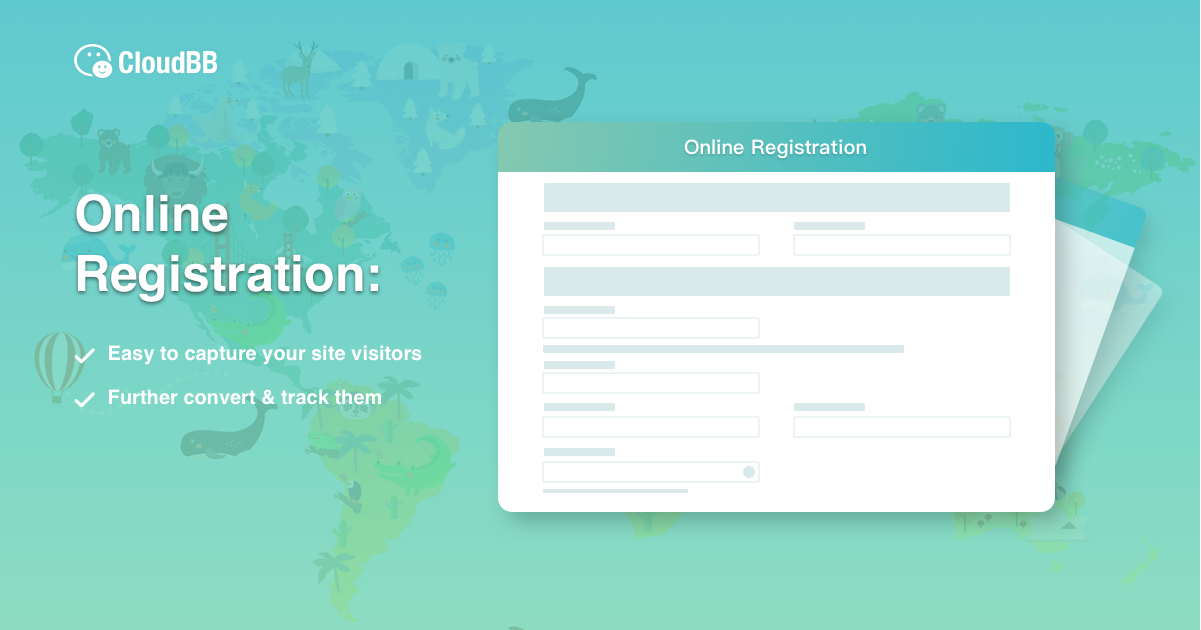
 

Child Care Registration Form

Custom Web Registration Form

With CloudBB, a custom online childcare registration form can be built and displayed on your website! These forms would include data such as student information, tuition, parent information, pickup services, after-school programs, or any other detail that you think is necessary. If, however, you already have an existing registration form, then this form can be integrated your to CloudBB quickly and quite easily.


Online Parent Registration

This feature of CloudBB allows parents to easily and comfortably enroll students online at your school! Parents only have to simply enter their contact information, add children connected with their families, and begin enrollment as required. The CloudBB free class registration software would then take care of the rest and remove the need to repeatedly fill out the same contact information for multiple children under the same family. CloudBB basically makes the enrollment process so much easier.


Class Listing

that parents/families can view information that is up to date. With CloudBB, children can be registered anytime and anywhere; be it on a computer or mobile phone.


Enrollment Data Entry

The time spent manually entering enrollment data is reduced to the barest minimum on Cloud BB! Information inputted by parents during the enrollment process would get imported into the CloudBB system automatically. Staff can manually enter enrollment information on Online Registration page or even bulk upload students using an Excel document.


Enrollment Pipeline Management

As new parents apply for your school or program, a need to keep track of which stage these families are in the enrollment pipeline arises. CloudBB helps you to move potential enrollments between different funnels and understand how the pipeline is growing. CloudBB enables you to manage your enrollment pipeline, forecast its growth, schedule enrollments, and increase the enrollment volume. All in one software!
We consider it the ultimate free management software designed by educators for an effective and well-organized online class registration.


Conclusion

While there are more types of online child care registration forms, these few listed can be used independently or combined to suit your personal needs. Don’t hesitate to take full use of the CloudBB cloud-based childcare registration software for an even easier experience.

 

Related Articles


2019年12月23日星期一

How to Use Childcare Software Programs?

Why Use Childcare Software Programs to Keep School, Parents and Children Connected?


Parents, students and teachers alike can all dread that day when it is time to meet up. The unknown nature of not knowing what to expect from all parties can be nerve racking for parents and teachers alike.

When it comes to parents that would like to be actively involved in their child's education sometimes the occasional meeting is not going to be enough. Some parents may feel as though they are being left out of the loop when it comes to their children's education and progress. On the other hand, some parents may be too involved with the educating process which can become an impediment for the teacher. Having parent volunteers can also distract students in preschool classrooms and will not reflect an accurate display of a child's behavior. If a child knows that their parent will be present in the classroom, chances are that child will most likely be on their best behavior not for the teacher but their parent.

Luckily there is a solution where parents can be acutely involved with their child's education without interfering with the staff. Childcare software is the key to running an effective childcare business.

Childcare Software Programs to Keep School, Parents and Children Connected


How to Use Childcare Software Programs to Keep School, Parents and Children Connected?


Part 1: Know the reason why childcare software programs can keep school, parents and children connected.

Childcare software programs can automate all pen and paper tasks such as gathering check-in signatures, filling out daily reports, or printing tuition bills. Utilizing the efficiency of childcare software programs can allow teachers to spend more time with their students individually. Decreasing a teacher's responsibilities will then allow teachers to focus on teaching. For schools and daycare, this can reduce employee turnover by helping to retain staff members. Family childcare software can also build an extensive profile on each child to allow deeper insight into the child's needs and progression.

Childcare software programs are making parent involvement easier while at the same time providing a piece of ease-to-use software for teachers to do their jobs effectively as it is being able to go paperless. The stereotypical image of a teacher is usually a nice man or woman sitting at a table with an apple on one side and a large stack of papers on the other side. Well childcare software may be the answer to getting rid of those large stacks of paper (and make more room for apples).


Part 2: Make full use of the right childcare software program to achieve your goal.

One of the better childcare software providers for your schools and daycare are CloudBB. CloudBB specializes in connecting parents and teachers to ensure the child's success.
Most of the most fascinating features provided by CloudBB is the secure pickup feature. Staff, admins, or parents can easily bulk check or update pickup plans for each enrolled student on a single page. This greatly improves the safety of each child from the initial pick up to the drop off at a learning center. Updates can be visible by those who are intended to see them.


CloudBB can also be used to organize and share pretty much everything that happens in the classroom. Certain information should be recorded in order to make the learning environment a more effective one. CloudBB gathers data from students, staff and lessons in order to deploy an effectual result in the classroom. The parent connection that CloudBB provides is incomparable.
Parents can now be involved in the child's education process without interfering or interrupting as long as the faculty enable this feature. This transparency is greatly benefiting the child by allowing parents to understand their child's strength and weaknesses in a learning environment. This process also contributes to improved preschool behavior management.

80 percent of a child's brain development occurs before that child is five years old. This is why it is imperative for both teachers and parents work in a collaborative effort to ensure that their child is being stimulated. This digital advancement allows the whole process to be a lot smoother for all parties involved. The easier process related to the childcare management, the relationship between parents and preschools will be more harmonious. This leads to better child development.


Conclusion

The world around us is changing, and the change favors the technologically advanced. Technology's impact on our society today is greater than one can fathom. Imagine what will occur once we start using childcare software programs to shape the future of our society through young children?


Related Articles

2019年12月3日星期二

Best Registration Software Free List

Childcare centers often encounter problems in the registration process, required to enroll children. The paperwork is seemingly overwhelming with a lot of factors to put under consideration and a lot of minute details to give attention to. However, free registration software has been developed to make things easier, faster and cheaper, with less administrative costs. Options like CloudBB, Amila, Himama, Kinderlime, Daily Connect, and Childcare Manager have proven to be the best free online registration software for childcare centers and other businesses.
Let's have a look into what they offer.


1. HiMama

HiMama is known to be an effective cloud-based childcare management solution that helps childcare centers, as well as professional, manage their business routines which encapsulate parent0teacher administration and a lot of other things. HiMama offers an activity and meal tracker, calendar management, application SMS notifications for parents, online registration, and real-time photo and video uploading capabilities, document management, live training for staff members and the ability to import data from external sources.
Its features include staff attendance management, lesson scheduling, and customizable report. HiMama manages and stores communications between administrators and parents via industry-standard SSL encryption technology. Price is a big obstacle to using this app because its protocol ensures that you pay in advance and not monthly.


Best Free Registration Software

2. CloudBB

CloudBB is a piece of online registration software free for each user, which is reliable, fast and efficient. It provides a secure way for you to capture your web visitors to convert and track them until they have enrolled. With the online registration system CloudBB offers, you can track all your enrollments in a place through the following features:
• Custom registration form
This allows you to build a custom web registration form which captures all necessary details such as after-school programs, pickup services, tuition, and other important details.
• Online parent registration
CloudBB eliminates the strenuous work involved in repeatedly filling the same contact information for multiple children under the same family; it allows parents to easily enroll multiple children.
• Class listing
Class listing is worked on and updated in the real-time base through its BB School app
• Management enrolment pipeline
This feature enables you track enrolment stage and manage your pipeline.
• Minimize enrolment data entry
Through this feature from CloudBB, you will enjoy automatic creation of enrollments in your system. It makes your registrations and enrollments a breeze. You can also integrate your website and registrations forms with CloudBB to minimize enrollment data entry.


3. Amilia
Amilia is an online registration free app available online. It also offers client membership management solutions. It helps businesses connect with their members through registration management and a myriad of other activities such as billing and fundraising activities. It is suitable for schools, clubs, camps, associations and other membership-based organizations.
Creation of online stores and selling membership plans or products are the one thing Amila helps businesses do. It also helps receive online donations from members. Through Amila, users can create online registration forms for classes and share information with their target audience. There can also be a restriction of the registration process to prevent over-booking. The platform captures member information collected through registration forms and automatically creates a client database.
Though Amila, businesses can send both masses and targeted individual emails with important information encapsulating membership renewal dates, promotional activities, upcoming events, and other general announcements. However, Amilia is a little pricey and customers have complained of subtle problems when you need to talk to someone from technical support.


4. Kinderlime

Kinderlime is a cloud-based childcare platform which is also regarded as a piece of registration form software. It is suitable for daycare centers, and after school programs. With Kinderlime, you can access attendance, parent communication tools and photo sharing, tracking, billing, reports, and a staff time-clock.
The platform can be used to manage multiple locations, as a matter of fact; administrators can manage access levels for their workers through Kinderlime.
Check in check out sheets on iOS devices, maintenance of pickup authorization list, and collection of signatures can be accessed. Parents can receive pickup notifications, and users can run reports on attendances and absences. Features to support management of staff data, as well as communication between teachers and the front office would have been great.


5. Daily Connect

Daily Connect is a free online registration app that helps businesses manages communication between parents and childcare centers. It offers the following; billing, text messaging, online registration, daily reports, and immunization records.
Daily Connect's sign-in kiosk enables the collection of attendance of classroom teachers as well as directors in a centralized platform. Parents can also be notified about important events via automated emails and push notifications. It also enables the generation of reports on classroom activities on a daily, monthly and weekly basis.
Daily Connect comes with tools, which allow directors to manage roster, classrooms, and teachers. However, this app does not allow you post videos, which is not convenient for users to share children’s daily activities.


6. Childcare Manager

Childcare Manager is a childcare management software solution which helps the connection of parents and childcare centers. Its features include; attendance management, contact management, online enrolments, tuition collection, and accounting. The solution can also be deployed on-premise to manage small as well as large center.
Childcare Manager is subdivided into My Center, Family Center, Child Center, Accounting Center, Other Payor Center, Employee Center, Report Center, and Lead Center.
Childcare Manager offers integration with QuickBooks for exporting transactions and effective services. According to some user reviews, unluckily, childcare manager operates unidirectional workflow.


To boost registration in childcare centers, the following should be considered.

• An online registration software like CloudBB should be used.
• A platform enabling the synchronization of the custom registration form.
• Online parent registration should be strictly adhered to.
• Sign-in Kiosk should be enforced.
• Management enrolment pipeline should not be neglected
With the free online registration apps reviewed above, not only will the registration process become easier, but more results will also be generated in lesser time.


Related Articles

2019年11月25日星期一

Useful Preschool Behavior Management Strategies

Preschoolers are the sweetest. They are curious, full of energy, constantly growing and learning. But sometimes, anyone might find this much energy difficult to handle as each child is learning so much and developing at the same time. Emotions are running wild that they are learning to master and understand while learning about human relationships and mastering their environment.
Managing preschoolers requires both extra care and attention but also discipline. No matter as a parent or a teacher, guiding children rightly or modifying their behaviors requires a great deal of patience and related professional knowledge. Here are some of the most effective preschool behavior management strategies that you can implement:


1. Apply yourself to acquiring knowledge

Preschool behavior management does not need a lot of trial and error with the right kind of knowledge. As children grow, they search for independence and they look forward to doing things on their own. This brings about new character displays.
As a teacher, use CloudBB and you can always communicate with their parents on how to handle their children when they become a handful. Sometimes even parents are clueless about what do with their children but with a free pre school management software like CloudBB which has an access to data that can give you more information about taking care of your children.


2. Pay attention to triggers

Children also have emotional triggers. When you have children in your care, you must be able to identify and prevent these triggers from becoming a full-scale problem. There are always subtle signs. For example, some children like routine and may get upset when something changes in the routine. CloudBB preschool classroom management software helps you keep track of every kind of activity your children participate in, the timing and overall response of the child.
As an after-school administrator, you need an efficient way and mechanism for what works for each child. You have to be mindful of circumstances that the child may find challenging and find a solution that works. This approach serves as a means of both prevention and cure.

 Useful Preschool Behavior Management Strategies


3. Better communication strategy

For any individual, communication is very important. But with 3 to 5-year-old, it requires different preschool behavior management strategies to understand and communicate with them perfectly. Communication should be short, sweet and direct.
When asking children questions, the questions should be direct and short. If it requires offering them options, the options should be limited to 2 or 3 so they do not get confused about what they think is the best for them. Children must know how to choose from when they are little.
When it comes to instructions, make it very simple and clear. Dos and Don'ts are one of the most direct forms to communicate such. You have to do this with gestures too. Some children might need an explanation for the instructions, so, you must be able to explain such in the simplest ways. Please note that the communication between teachers and parents are also essential when conducting preschool management strategies.


4. Reward and support good behavior

Preschool classroom behavior management is a skill but some principles work like positive reinforcement. When children do what is right, they must be awarded appropriately for those actions. By doing this, the child is encouraged to such actions more.
Rewards can include sweet words of affirmation like "Good boy or thank you for helping to put the books back". You could say things like "look how happy your friend is because you share, sharing is good". These words encourage the child to engage in for positive activities rather than causing trouble.


5. Demonstrate important social skills

During these formative years, children must learn the most important social skills, several activities help build such skills e.g. Empathy. The activities can be scheduled into the pre school management software which makes it very easy for you to keep track of every activity. Example of such activities are games that involve playing with other children, handling winning or losing or sharing toys.


6. Emphasize clear behavioral guidelines

In a classroom setting , you should have clear behavioral guidelines that children can recite regularly. This is to mentally reinforce the right responses and actions of children. One of the ways to monitor this is to have sticker charts or stickers given to children when they do what is right.
The stickers can serve as a guide to establishing actions that may be perceived as right or wrong even by the children. With time they know the best actions to take and you can then introduce the charts to other behaviors that need guidance.


7. Address challenging behaviors

Actions have consequences and every child should understand that. Wrong actions come with consequences children may not appreciate but is necessary to foster discipline. Our preschool management software can help after school administrators communicate with parents or vice versa on how best to approach challenging behaviors. Some corrective measures include taking away privileges or putting the child in timeout.


Conclusion

Behavior management is easier with the right strategies. Implementing some of these and monitoring with the right technology just made childcare a lot more interesting. Become part of the CloudBB family today and find a system that works for you.


Related Articles

2019年11月17日星期日

The Top 5 Attendance Apps That Simplify Your Childcare Management

There are a lot of attendance apps out there on the market. Some are free while some are sold at a price. But the major questions remain. “Which is the best? Which of them can I trust to meet my need and ensure the safety of my kids? Do I get what I pay for?” Well, to answer these questions, we have put together some of the top attendance apps that can simplify your childcare management.

• LifeCubby

LifeCubby is the cloud-based childcare software that optimizes the executives' framework. Significant highlights incorporate day by day class sheets, exercise plans, and reports. You likewise have choices for computerized registration/registration, supper following, and catching photographs and recordings. The product utilizes SSL encryption procedures, firewalls, and robotized reinforcements to guarantee information security.
LifeCubby has an adjustable application where childcare staff can share photographs, recordings, alarms, and reports on the children's advancement with guardians.

Advantages

Capterra analysts love the photograph, and video includes just like the specialized devices Clients additionally notice that the product is anything but difficult to learn and can deal with numerous kid accounts.

Disadvantages

A few analysts on Capterra notice that the product produces blunders when two children have a similar name that makes getting the right kid troublesome. Users likewise referenced periodic application stops and moderate speed.


• CloudBB

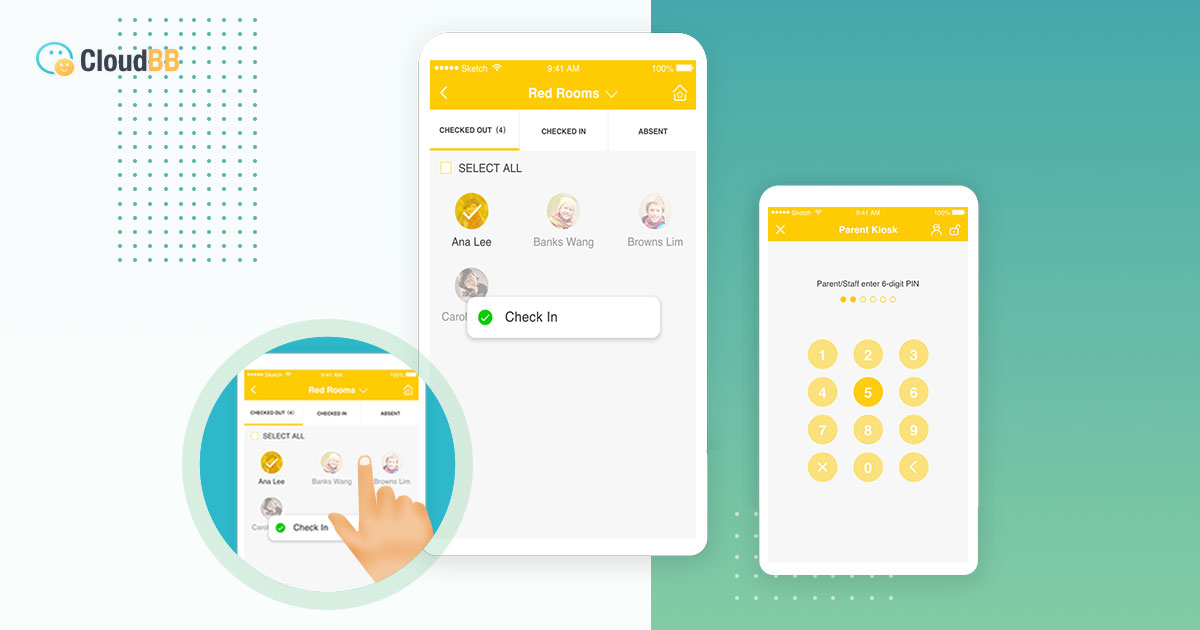
CloudBB is a free online attendance tracker with a great reputation as it is a safe and comprehensive afterschool solution. As for its outstanding attendance tracking feature, check in-out has never been so simple without any printing sheets. Also, parents and approved pickups can complete check-in as they walk up to the learning center. What it does helps to improve efficiency and increases the credibility of after school centers by features like online registrations, secure pickup, check in-out , an invoicing plan, parent connections, marketing, and a whole lot more.

CloudBB- Top Attendance App 

Advantages

√ Staff can check students in-out in a hassle-free way and even track live ratios for every room efficiently.
√ Secure student check-ins can be completed by using unique sign-in PINs and signatures. No more complicated printing check in-out sheets with illegible parent signatures.
√ Drivers can complete check-in when picking students up. Drivers can even receive notices of last-minute changes on the BB School app and SMS on their mobile phones.
√ CoudBB gives administrators detailed information about facilities that are in use as it is possible to record and manage absent records along with detailed notes. No longer hard to track each student's total school hours with pickup status and attendance details. It is also easy to generate invoices for actual pickup services, charges of consumed class hours, and more. All these improve the credibility and transparency in the institution and more importantly, such an attendance app greatly simplifies your childcare management .


• Kinderlime

Kinderlime is also an attendence tracker that enables day to mind focuses and afterschool projects spare time and exertion. The product replaces paper sign-in sheets and participation following computerized sign-in/sign-out. It produces solicitations dependent on what number of classes every student visited. Guardians can pay bills online through the product.
The application enables you to send guardians photographs and month to month bulletins. Kinderlime additionally supports promoting endeavors by incorporating with Facebook and Google Plus. Guardians and instructors can get to the product on their cell phones too.

Advantages

The sign-in/sign-out component is the most adored element of the item and cautions guardians by means of email about their tyke's day by day schedule. Some commentators additionally love the client administration and ease of use of the product.

Disadvantages

A portion of the analysts notices that they might want to see extra highlights, for example, spell check added to the bulletin. One of the analysts composed that creation amendments to sign-in/sign-out occasions can be dubious.


• HiMama

HiMama is a childcare application that enables guardians and tyke to mind focuses impart. The product takes photographs and catches the video of the child and sends them to guardians. It likewise sends guardians reports and messages with significant updates. There is additionally a versatile benevolent parent gateway.
HiMama is a far-reaching arrangement and offers different highlights; for example, participation the board, booking, exercise plans, and schedules. The product can import information like contact subtleties and medicinal records from different stages, just as give web-based preparing and 'how-to' recordings.

Advantages

Guardians love the top-notch photographs, recordings, and the consistent commitment with daycare focuses.

Disadvantages

Some users reflect that they have troubles in looking down and including/seeing remarks while utilizing the product's versatile application.


• EZCare

EZCare software computerizes enrollments, expense accumulation, and revealing. It tracks child get/drop-off and calendars classes and exercise plans. The shortlist the board highlight encourages you to augment program enlistments.
EZCare stores and tracks child information, for example, family data, calendars, participation, and therapeutic records. Combinations with email and telephone messages improve parent-staff correspondence. The product likewise offers bookkeeping and installment preparing highlights. You can deal with different focuses with a solitary database utilizing EZCare.

Advantages

It proudly offers online enlistment, e-installments, finance, and adaptable reports.

Disadvantages

Not as many reports available yet but they continue to add more all the time. Sometimes reports can be a little difficult to get the exact results you need. Its reporting feature needs urgent improvement.


Conclusion

All these and many more are available when you get free sign up with CloudBB attendance tracker app. You will definitely receive the best childcare management service besides digital global absence tracking. Make the right choice today!


Related Articles